
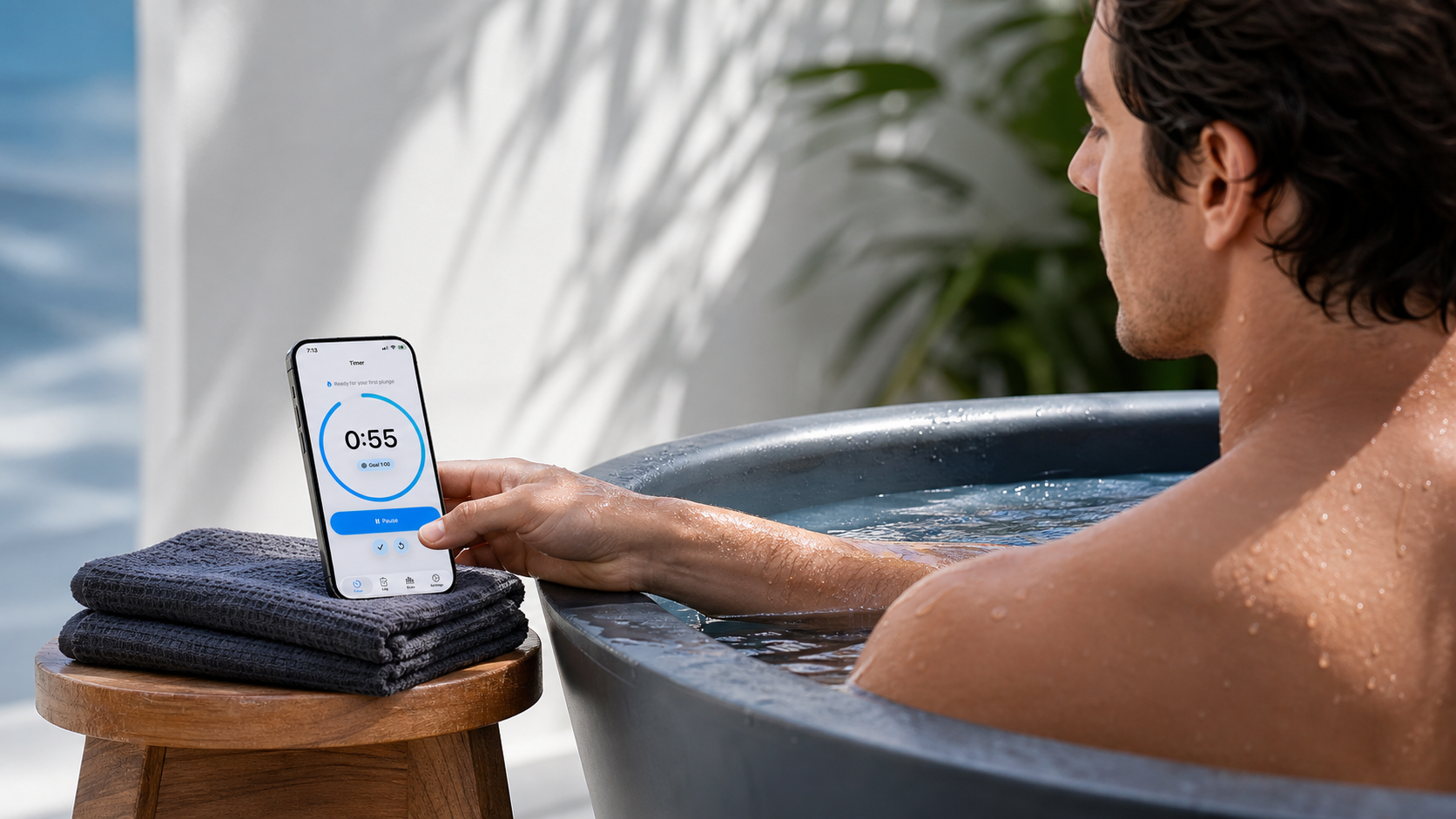
If you are searching for the best cold plunge timer app for iPhone, the useful question is not which app has the longest feature list. The useful question is whether the app fits the way cold plunge and ice bath sessions actually happen: start the timer, finish the session, save the water temperature and notes, then look back at consistency over time.
Cold Plunge Timer & Log is built around that narrow workflow. This guide explains what to look for in a cold plunge app for iPhone, when a stopwatch is enough, and when a focused timer, log, and tracker becomes more useful.
For a full walkthrough of the app's timer, log, stats, streaks, water temperature, and privacy model, read the Cold Plunge Tracker App guide.
What makes a cold plunge timer app useful?
A useful cold plunge timer app should make the routine easier to run and easier to remember later. It should not ask you to manage a complicated dashboard while you are wet, cold, or trying to stay focused.
At minimum, look for:
- a clear timer that is easy to start, pause, finish, and reset
- a saved session log, not just a timer result that disappears
- water temperature tracking with Fahrenheit and Celsius support
- short notes for context
- simple stats and streaks based on saved sessions
- privacy choices that do not require an account or advertising profile
The goal is practical memory. You should be able to answer basic questions later: How long was the session? What was the water temperature? How often did I practice this week? Did the routine stay consistent?
Timer vs log vs tracker
These terms overlap, but they are not the same.
| Tool | What it does well | Where it can fall short |
|---|---|---|
| Timer | Measures the current cold plunge or ice bath session. | Does not necessarily save the session for later review. |
| Log | Saves duration, date, temperature, type, and notes. | Can become inconsistent if every entry is free-form. |
| Tracker | Turns saved sessions into history, stats, and streaks. | Can become noisy if it tracks too much. |
The strongest setup combines all three without making the routine feel heavy: a timer for the session, a log for the details, and a tracker for simple progress.
Features to look for
The best cold plunge app for iPhone should stay focused on the few details that remain useful after the session is over.
Timer
The timer should be visible, direct, and predictable. During a cold plunge, you do not want to hunt through menus. You want to start, pause, finish, or reset quickly.
Session log
A cold plunge log app should save the session in a consistent format. Duration, water temperature, session type, date, and notes are enough for most people.
Tracker
A cold plunge tracker app should make history easier to review. Total sessions, average duration, coldest session, weekly completion, and streaks can be useful when they stay simple.
Notes
Notes are useful for context that numbers do not capture. For example: after sauna, colder than usual, morning session, travel day, or short session by design.
Why water temperature matters
Duration means more when it is paired with water temperature. A two-minute session in one setup may feel very different from a two-minute session in colder water.
A good ice bath timer app or cold plunge tracker app should let you record temperature without forcing a complicated protocol. The practical record is simple: duration plus water temperature plus a short note when needed.
For a deeper temperature guide, read How to Track Cold Plunge Sessions.
Why streaks and stats should stay simple
Streaks can help you see consistency, but they should not turn the routine into pressure. A good cold plunge streak tracker should show what happened without making the app feel like a game you have to obey.
Useful stats are the ones that help you review the routine: current streak, longest streak, sessions this week, total sessions, total cold time, average duration, and coldest session.
If the stats help you understand the pattern, they are useful. If they make the app feel crowded, they are probably doing too much.
Siri and Shortcuts for hands-free timing
Cold plunge timing often happens when touching the phone is inconvenient. Your hands may be wet, the phone may be nearby, or you may already be in the tub.
Siri and App Shortcuts can help with that. Cold Plunge Timer & Log supports shortcut actions for starting and finishing the timer on iPhone. That makes it useful for people searching for a cold plunge timer with Siri Shortcuts or a hands-free ice bath timer app.
For the specific Siri flow, read Cold Plunge Timer with Siri Shortcuts.
Privacy checklist
A cold plunge timer app does not need to be an advertising product. Before choosing an app, check whether it requires more data than the routine needs.
Cold Plunge Timer & Log is designed around a simple privacy posture:
- no account
- no ads
- no advertising tracking
- local-first app data
You can read the Privacy Policy or contact Support with questions.
Who Cold Plunge Timer & Log is for
Cold Plunge Timer & Log is for iPhone users who want a focused cold plunge timer, cold plunge log app, and cold plunge tracker app in one place.
It is a good fit if you want to:
- time cold plunge or ice bath sessions
- save water temperature and notes
- review session history
- track simple stats and streaks
- use Siri/App Shortcuts for hands-free timer control
- avoid accounts, ads, and advertising tracking
It is not meant to be a medical tool, coaching system, or broad wellness platform. It is a focused utility for timing and tracking a cold water routine.
When a stopwatch is enough
A stopwatch is enough if you only care about timing a single session and do not need a record. For occasional use, that may be completely reasonable.
A dedicated cold plunge timer app becomes more useful when you want to save the result, log water temperature, add notes, review progress, or see streaks over time.
For a focused comparison, read Cold Plunge Timer vs Stopwatch.
Safety note
Cold exposure is not appropriate for everyone. This page is not medical advice, diagnosis, treatment, personalized safety guidance, or emergency support.
Do not rely on an app, timer, article, Siri shortcut, or saved log during an emergency. If you are unsure whether cold exposure is appropriate for you, speak with a qualified health professional.
FAQ
What is the best cold plunge timer app for iPhone?
The best cold plunge timer app for iPhone is one that makes timing easy, saves useful session details, supports water temperature logging, keeps stats simple, and respects privacy.
What should a cold plunge timer app track?
A useful app should track duration, water temperature, session date, session type, notes, progress stats, and streaks.
Is a stopwatch enough for cold plunges?
A stopwatch is enough if you only need to time one session. A dedicated app is more useful when you want a saved log, temperature history, notes, stats, and streaks.
Can I log water temperature?
Yes. Cold Plunge Timer & Log supports water temperature logging with Fahrenheit or Celsius units.
Can I track cold plunge streaks?
Yes. Cold Plunge Timer & Log can show streaks and simple stats based on saved sessions.
Can Siri start a cold plunge timer?
Yes. Cold Plunge Timer & Log supports Siri and App Shortcuts actions for starting and finishing the cold plunge timer.
Does Cold Plunge Timer & Log require an account?
No. The app is designed with no account, no ads, no advertising tracking, and local-first app data.